
Crash Override
Four decks, a real mixer, effects, an automix for breaks and live guest requests - built and tested at real events.
On the decks
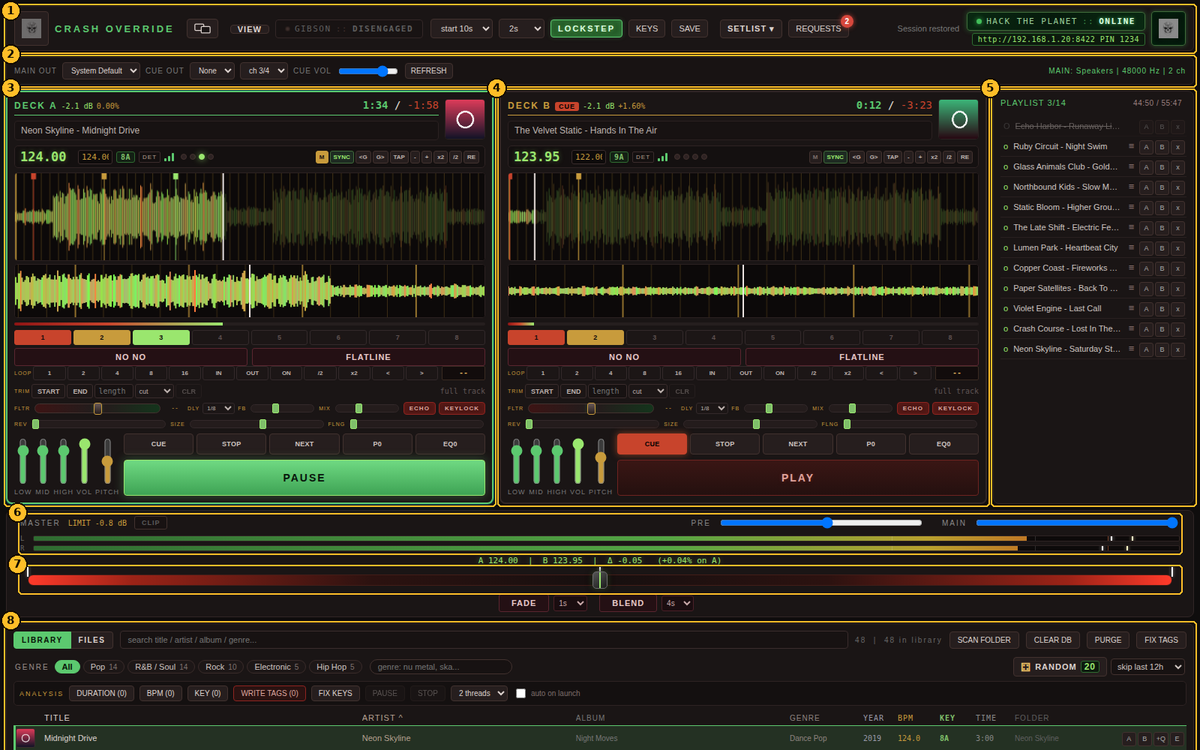
Four decks
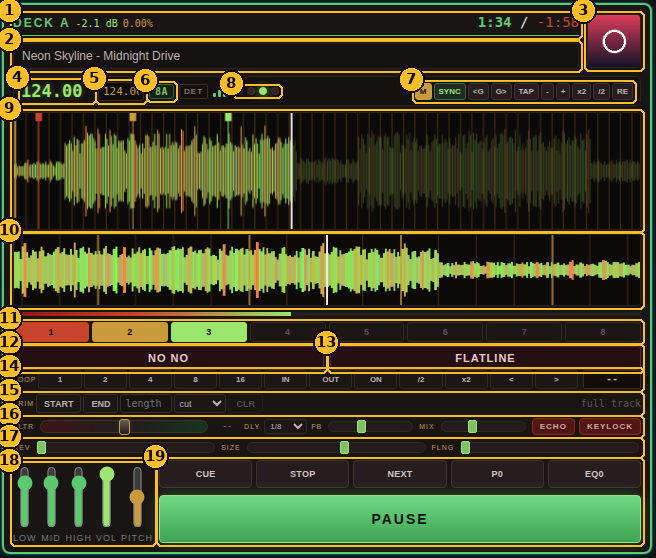
Two big decks or four (A/B full, C/D compact). Waveforms, beat grid, BPM and key detection, key lock.
Hot cues and loops
Eight hot cues per track, saved with the song. Beat loops, IN / OUT loops and loops marked on the waveform.
Track trim
START and END per song - songs play only the good part, with an optional fade. A list of trimmed songs opens them in your audio editor.
Effects
Filter, tempo-synced echo, reverb and flanger on every deck; 3-band EQ with kills.
NO NO and FLATLINE
NO NO plays the last second backwards over a bad word, in time. FLATLINE mutes the room while you keep hearing the deck in your headphones.
Headphone cue
Cue on a second sound card or on channels 3/4 of a four-channel interface.
Mixing
Crossfader, FADE and BLEND
Equal-power crossfader plus one-click FADE and BLEND sweeps of 2 to 8 seconds.
Gibson Mode
Automix for breaks and dinner sets: plays the playlist with your chosen start point and overlap, and you can take over any time.
Limiter and meters
A master limiter and meters keep the sound system safe.
Library
Reads your music folders, analyses BPM and key in the background, genre families, YEAR column, On The Fly folder.
Guest requests
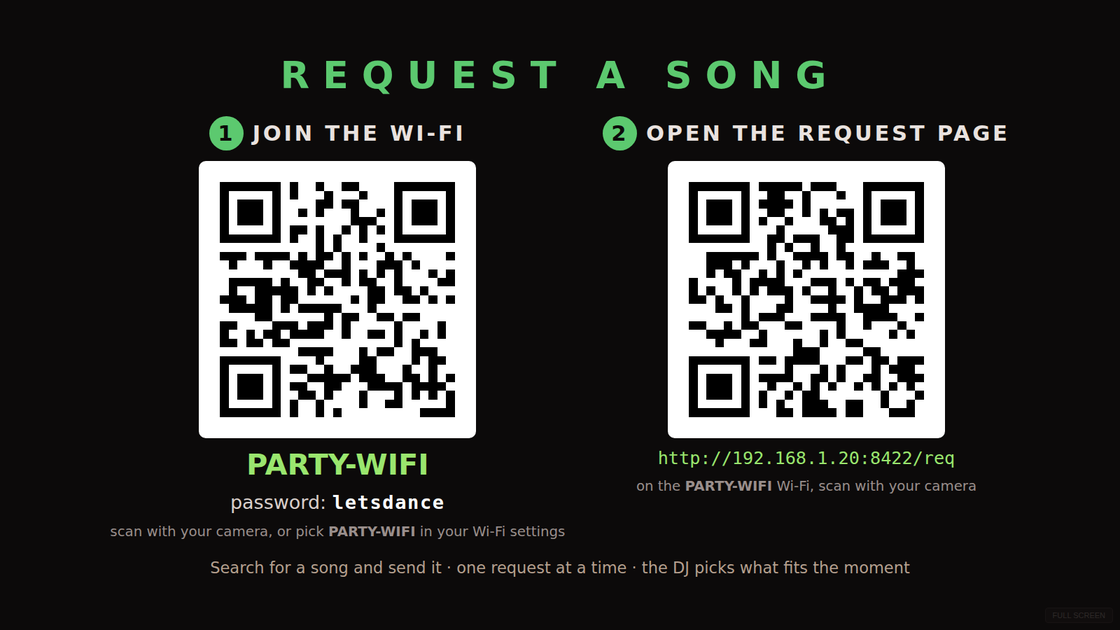
QR code on a second screen
A guest screen (TV or projector) shows the QR code, what is playing and what is coming up. When requests close, a 'Sorry, we're closed' sign swings over the codes.
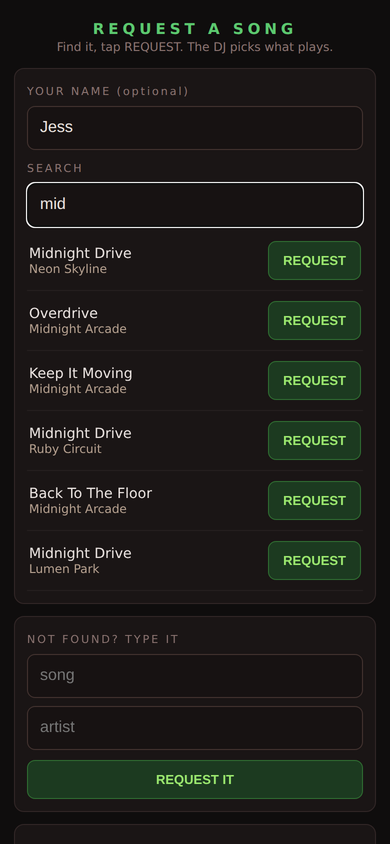
Search and request
Guests search your library from their phone and request a song; typos are forgiven. Requests land in the playlist for you to accept.
Thank-you and limits
Each phone gets a thank-you and a limit of requests, so one guest can't fill the night.
Phone remote
Run the decks from your own phone with a PIN - handy when you step away from the booth.
Needs
Windows 10 or 11 (64-bit). The Microsoft Edge WebView2 runtime (already part of Windows 11). An audio editor of your choice is optional - Crash Override offers Audacity (free) if you don't have one. Tag fixing can use MusicBrainz Picard (free).