BUZZER
Quiz night buzzers on everyone's phone. The host reads a question and opens the buzzers; every phone goes live at the same moment, and the fastest finger answers.
CONTENTS
Quick startJoiningThe lobby (host)How a question goesThe host's phoneThe player's buzzerIs it fair?After each questionSettingsTeamsThe TV boardEnd of the gameTroubleshootingClick any picture to see it full size. Numbers on the pictures match the numbered lists next to them.
Quick start
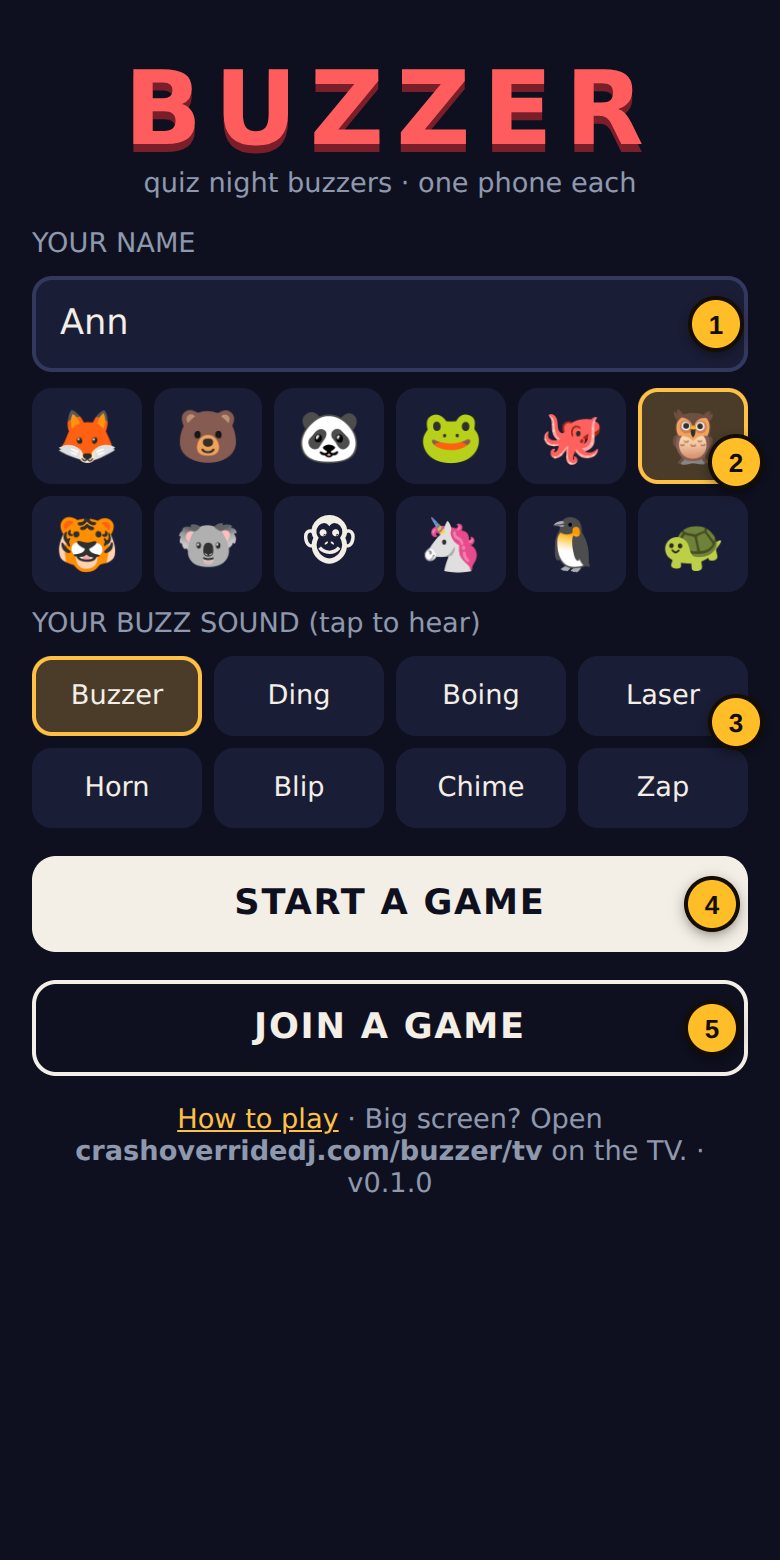
- The host opens crashoverridedj.com/buzzer on a phone, types a name (1), picks a picture (2) and a buzz sound (3), and taps START A GAME (4).
- Everyone else scans the QR code on the host's phone (or the TV), or opens the same page, taps JOIN A GAME (5) and types the 4-letter code.
- The host taps START. People can still join after the game has started.
- For each question: the host reads it out, taps OPEN BUZZERS, and the first one to buzz answers. The host taps RIGHT or WRONG.
No app to install and no account. Every player needs a phone with internet (Wi-Fi or mobile data). The host can play too - see Settings.
Joining
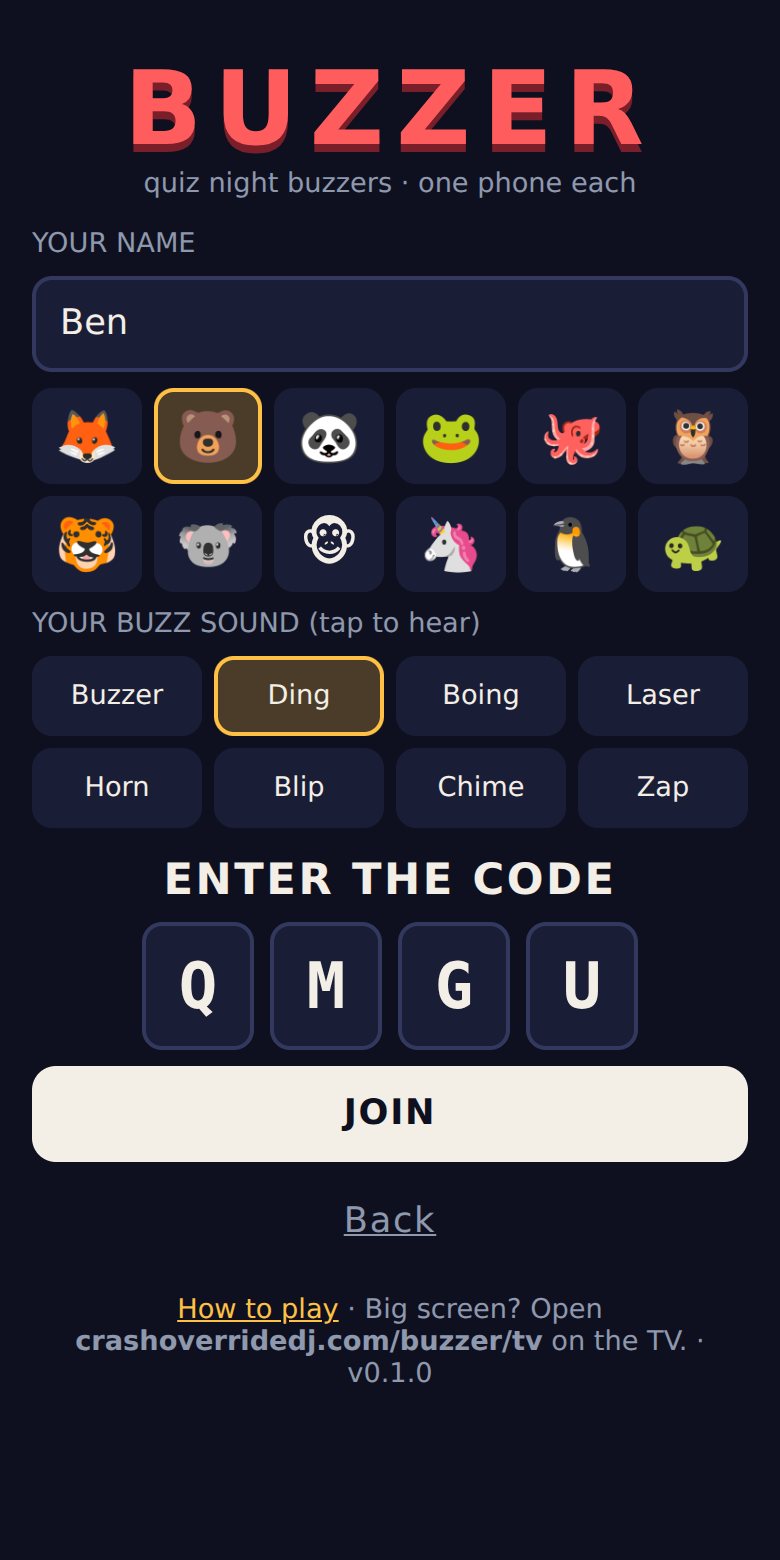
Scanning the QR code opens the join screen with the code already filled in. Type a name (2-16 letters), pick a picture and a buzz sound - tap a sound to hear it - and tap JOIN.
Names must be different from everyone else's in the game. If you close the page by mistake, open it again on the same phone and you are back in your seat with your score.
The lobby (host)
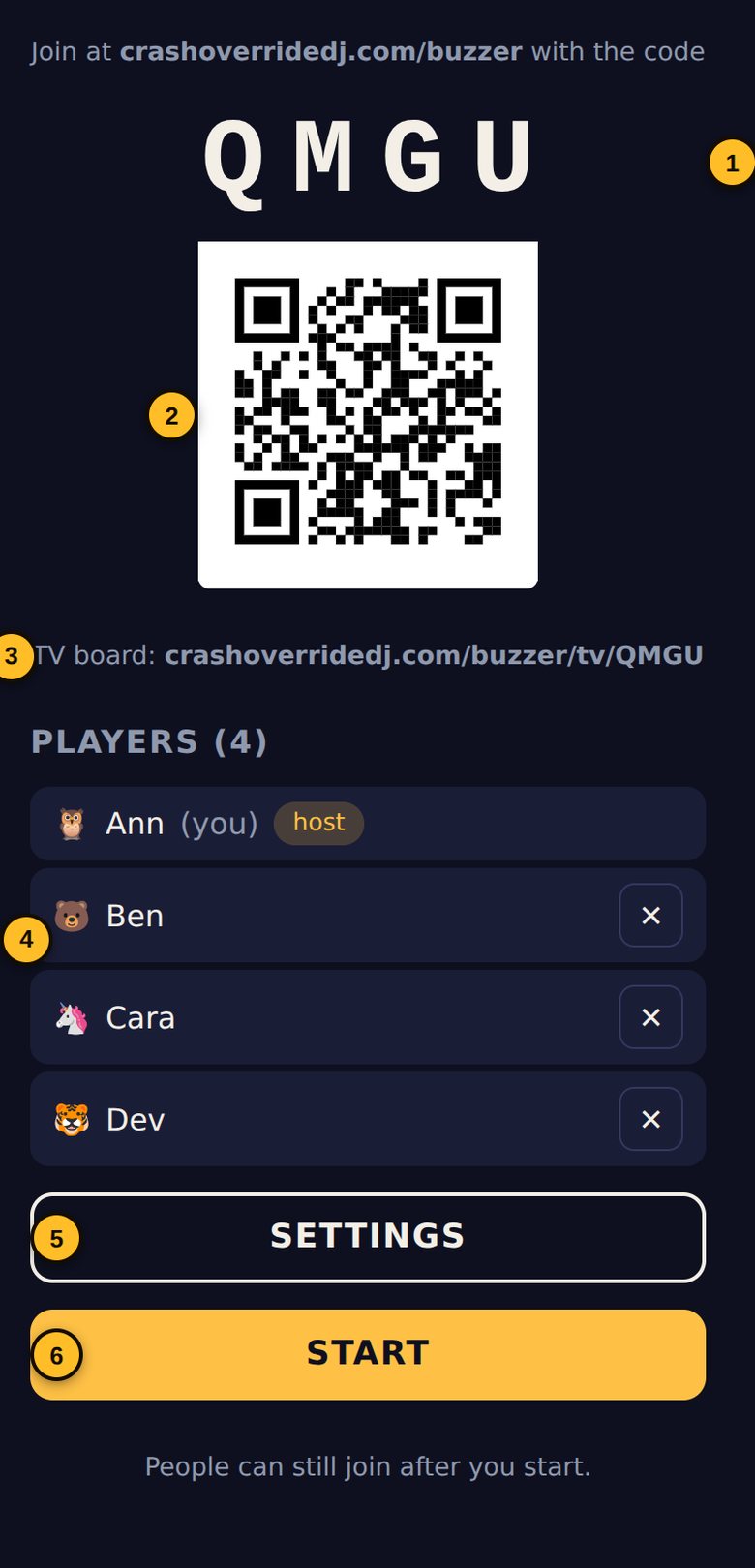
- Room code - the 4 letters people type to join.
- QR code - scan to join. Tap it to show it full screen.
- TV board - the address to open on a TV or laptop (see The TV board).
- Players - everyone who has joined. The host can remove someone with ×.
- SETTINGS - every feature can be switched on or off (see Settings).
- START - starts the first question. It needs at least one player with a buzzer.
How a question goes
- Read the question. Everyone's buzzer says WAIT.
- The host taps OPEN BUZZERS. Every phone shows GET READY for about a second and a half, then all of them turn red - BUZZ! - at the same moment.
- Players buzz. A moment after the first buzz (the settle time), the order shows on every phone and the TV, with each player's reaction time.
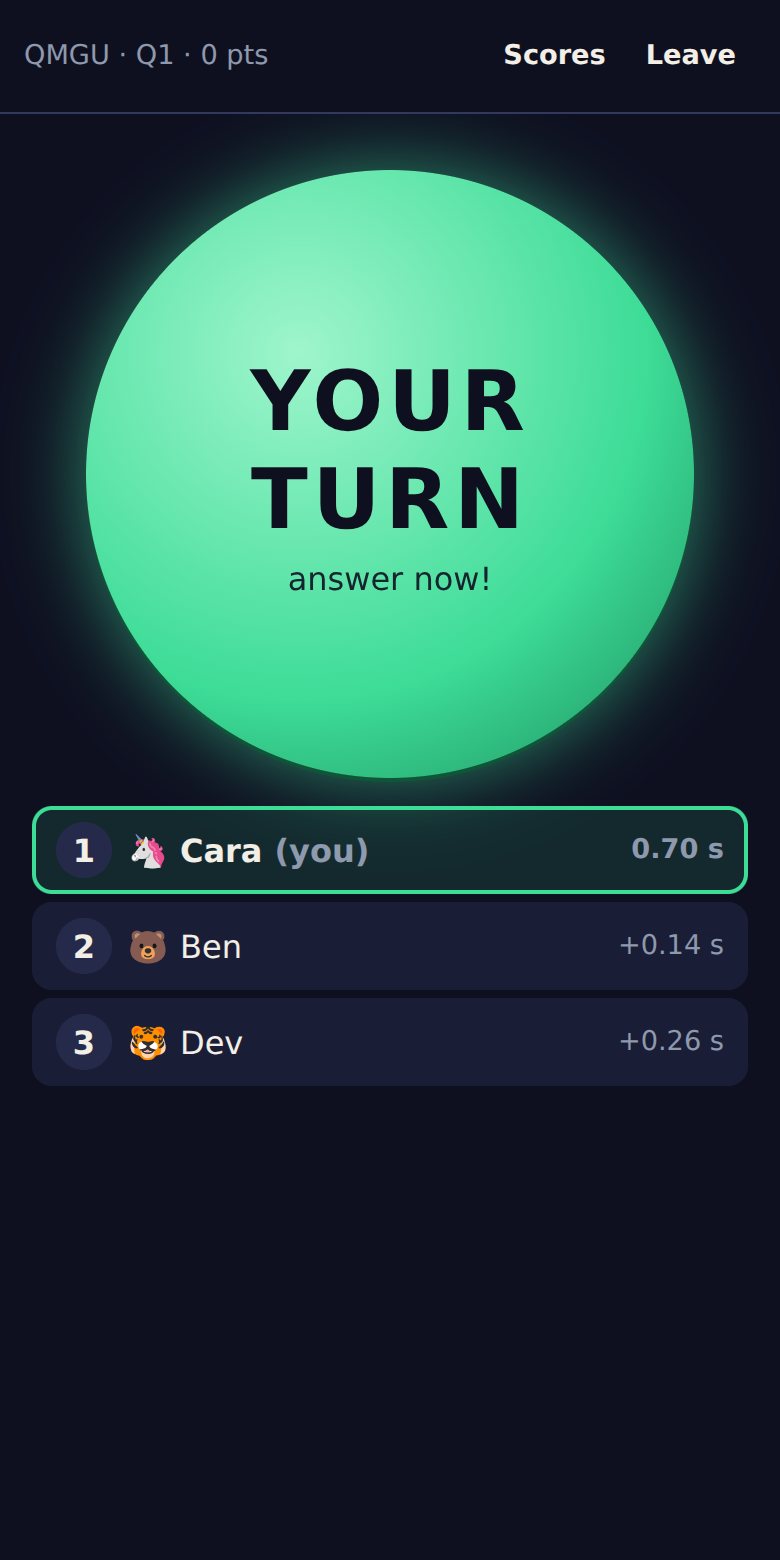
- Number 1 answers. Their phone turns green - YOUR TURN. The host taps RIGHT or WRONG.
- Right: they get the points and the question is over. Wrong: the next one in line answers (or the buzzers open again - see Settings).
- The host taps NEXT QUESTION.
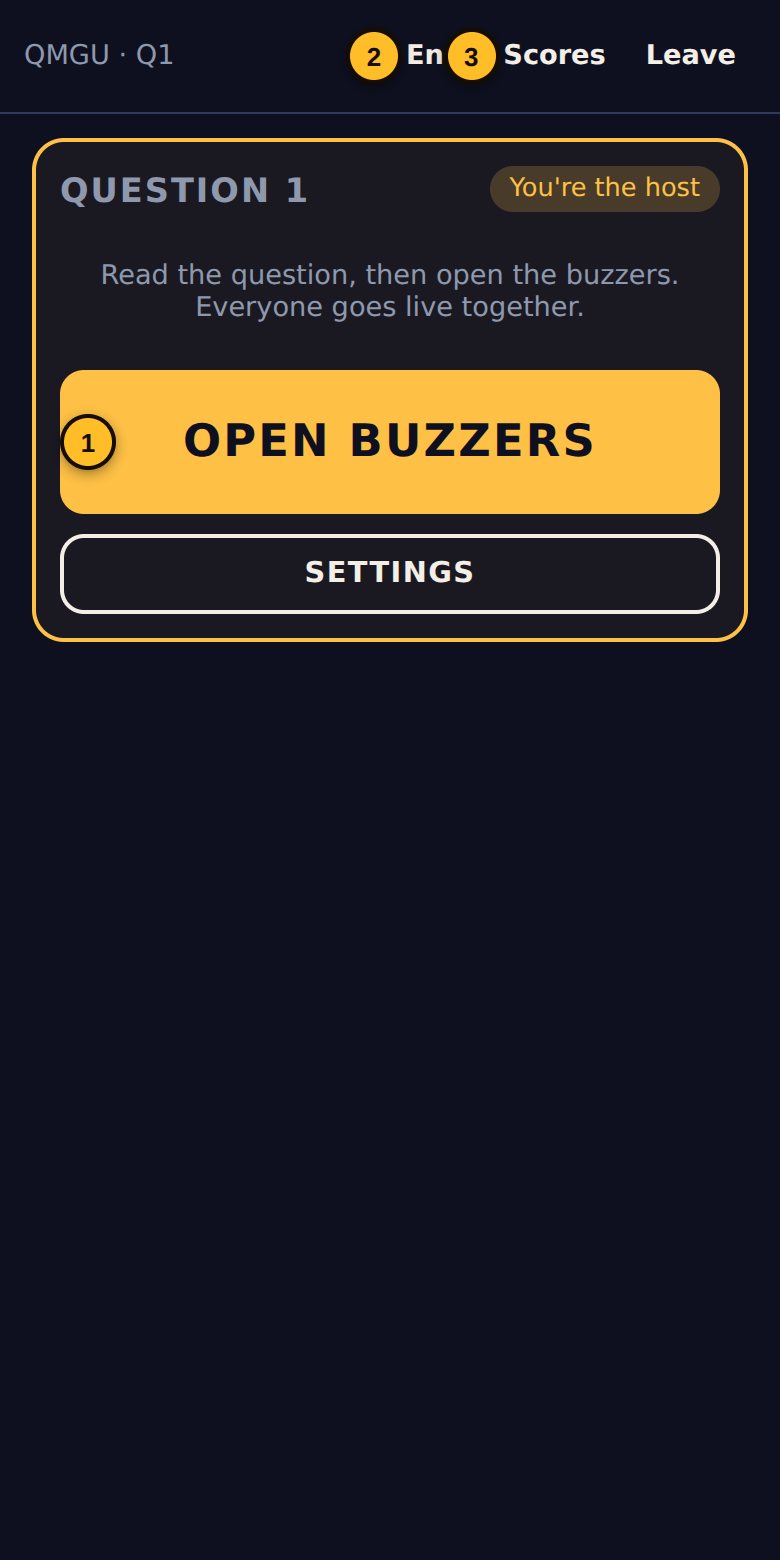


The host's phone
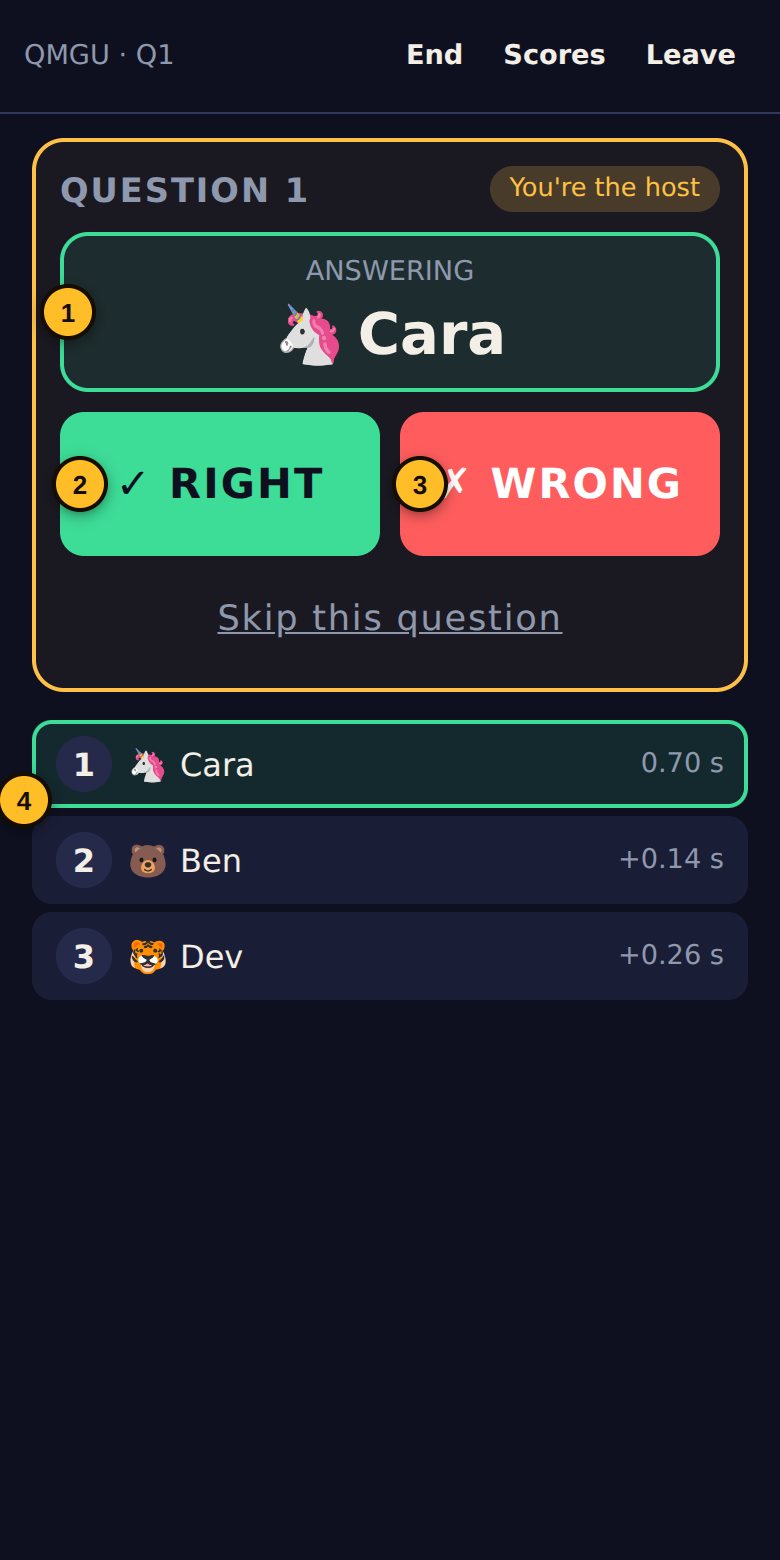
- Answering - who's answering now (and the answer timer, if it's on).
- RIGHT - gives them the points; the question is over.
- WRONG - takes points off (if that's on) and passes to the next in line.
- The order - who buzzed, in order, with reaction times. The host always sees the whole order and the times.
Also on the host's phone:
| CLOSE - NOBODY GETS IT | while the buzzers are open: ends the question with no winner. |
| SKIP THIS QUESTION | while someone is answering: ends the question with no winner. |
| END | top bar: ends the game and shows the final scores and awards. |
| SCORES | top bar: the scoreboard. The host can fix a score with − and +. |
| SETTINGS | between questions: change any setting. |
The player's buzzer
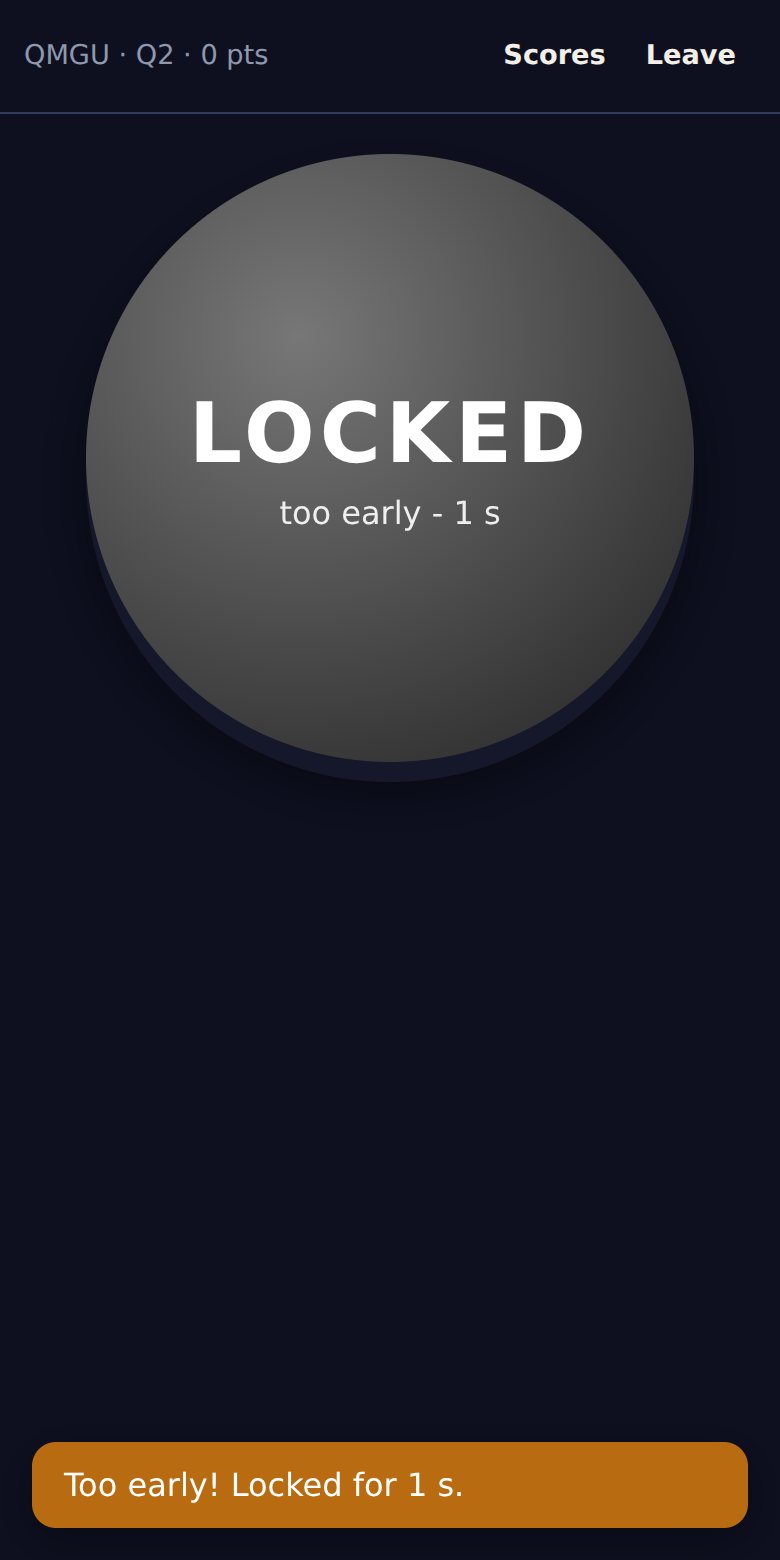
| The button says | What it means |
|---|---|
| WAIT | the host hasn't opened the buzzers yet. Pressing now counts as too early (see Early-buzz lockout). |
| GET READY | the buzzers are about to go live - not yet! |
| BUZZ! | press! The moment your finger touches the button is what counts. |
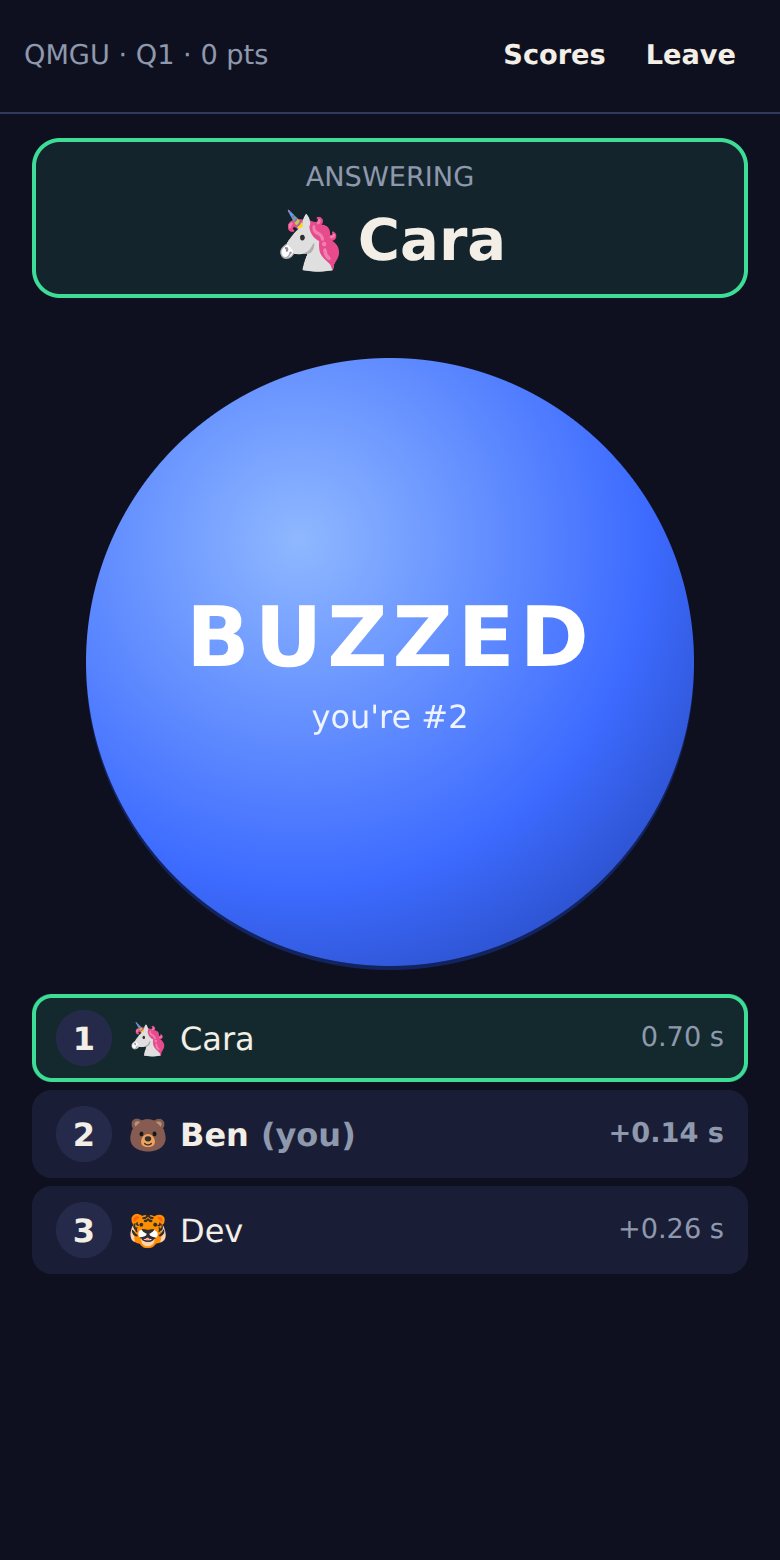
| BUZZED | your buzz is in. Once the order shows, it says your place (#1, #2...). |
| YOUR TURN | answer out loud. A countdown shows if the answer timer is on. |
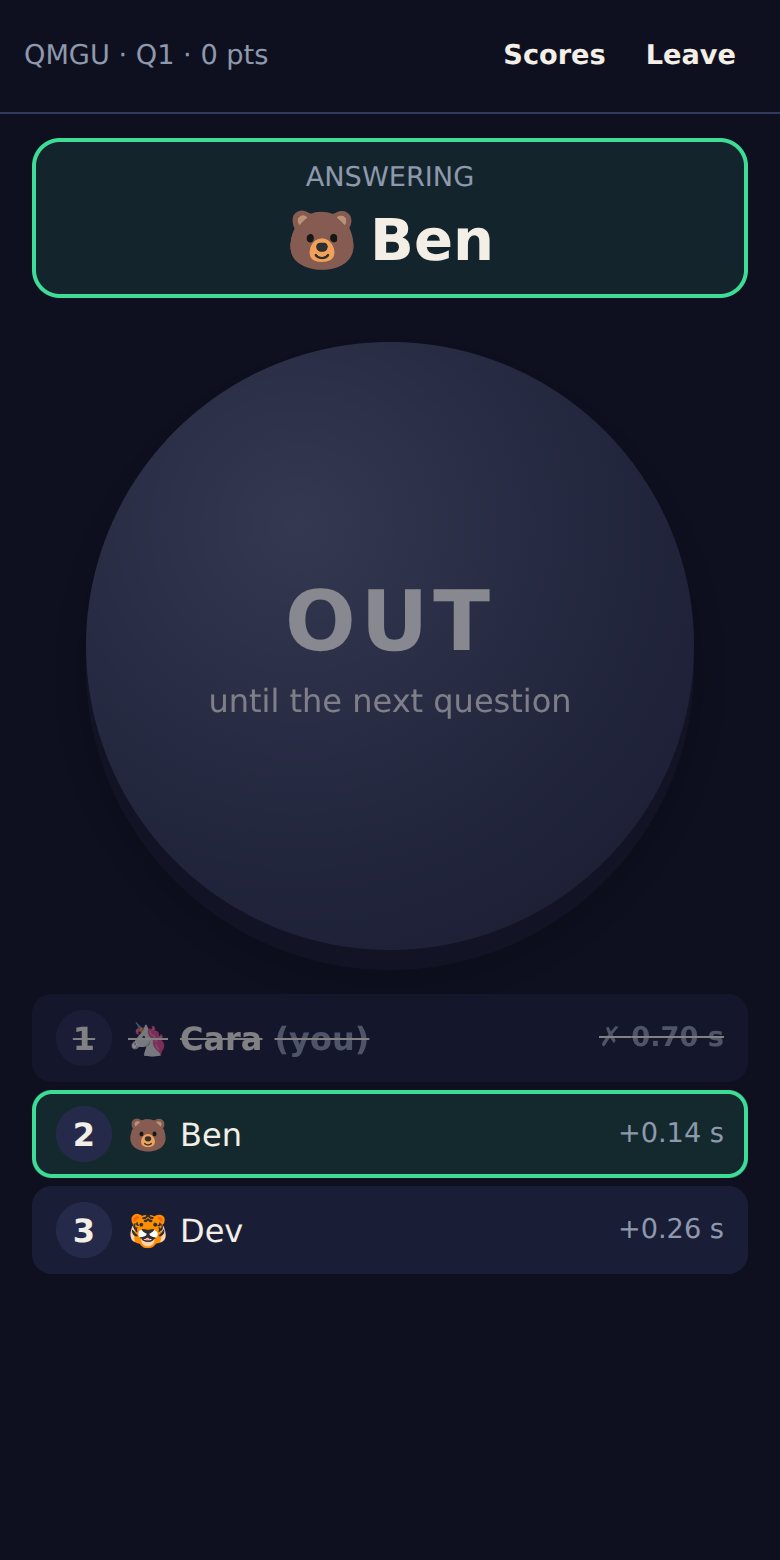
| OUT | you answered wrong; you're out until the next question (when "One buzz per question" is on). |
| LOCKED | you pressed before the buzzers were live, so you're locked out for a moment. |
Your phone buzzes in your hand when it's your turn and plays your buzz sound when your buzz counts (both can be switched off). The screen stays awake during the game.
Is it fair?
Yes - Buzzer is built so the fastest finger wins, not the fastest Wi-Fi:
- When a phone joins, it checks how far its clock is from the game's clock (and again every minute).
- All phones go live at the same planned moment, not when each one happens to hear about it.
- Each buzz carries the moment the finger landed, and the order goes by that. A phone on slow Wi-Fi that pressed first is still first.
- The game waits a moment after the first buzz (the settle time, 0.35 s unless changed) so close buzzes from slower phones arrive before the order is shown. A buzz after the order is shown goes to the back.
- A phone can't pretend it pressed earlier than it did: press times that don't add up are replaced by the time the buzz arrived.
After each question
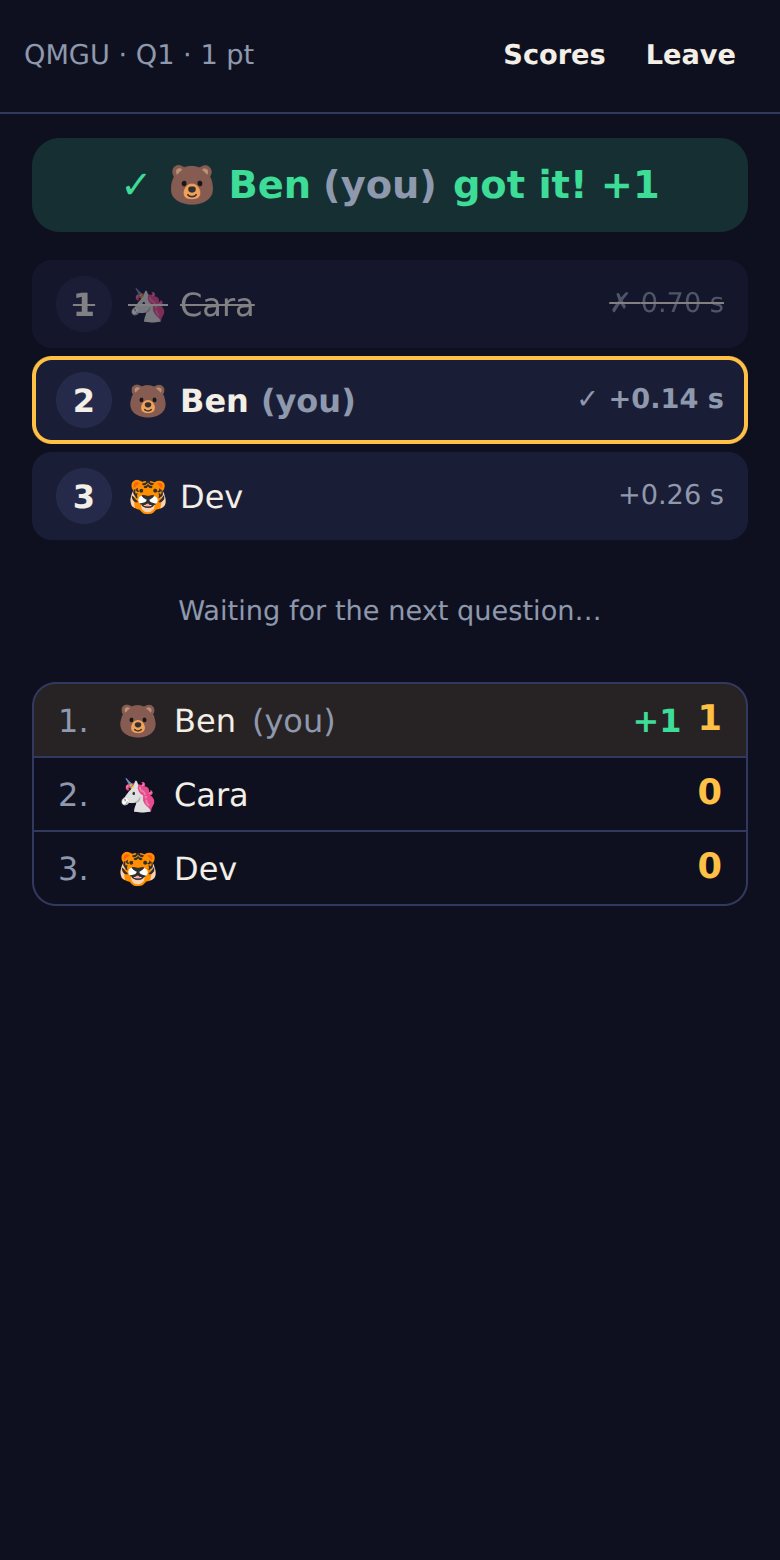
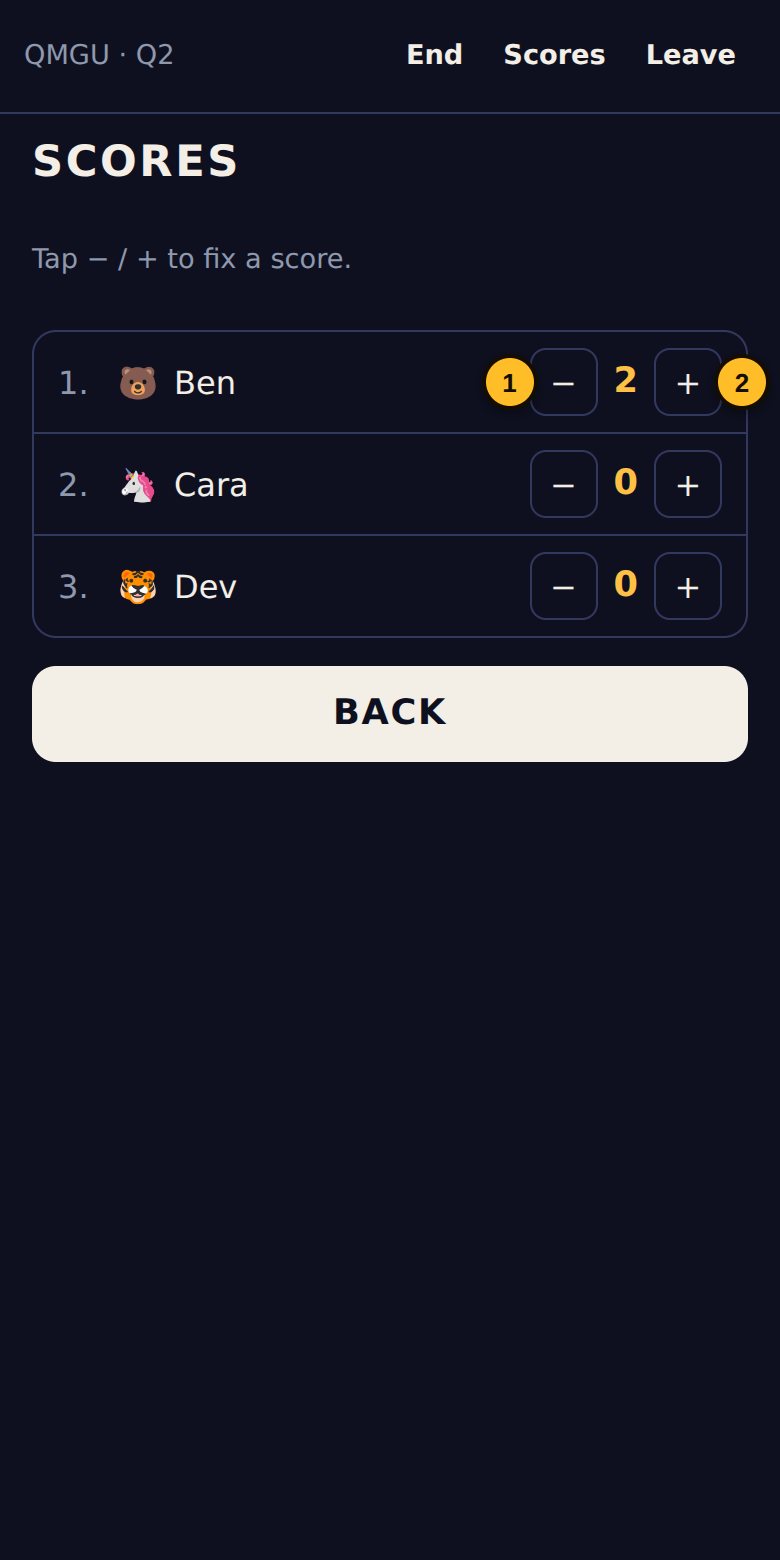
Everyone sees who got it and the points, then the scoreboard (if "Scoreboard between questions" is on). The host taps NEXT QUESTION when ready.
The host can open SCORES at any time and use − (1) and + (2) to fix a score by one point - for example for a half-right answer.
Settings
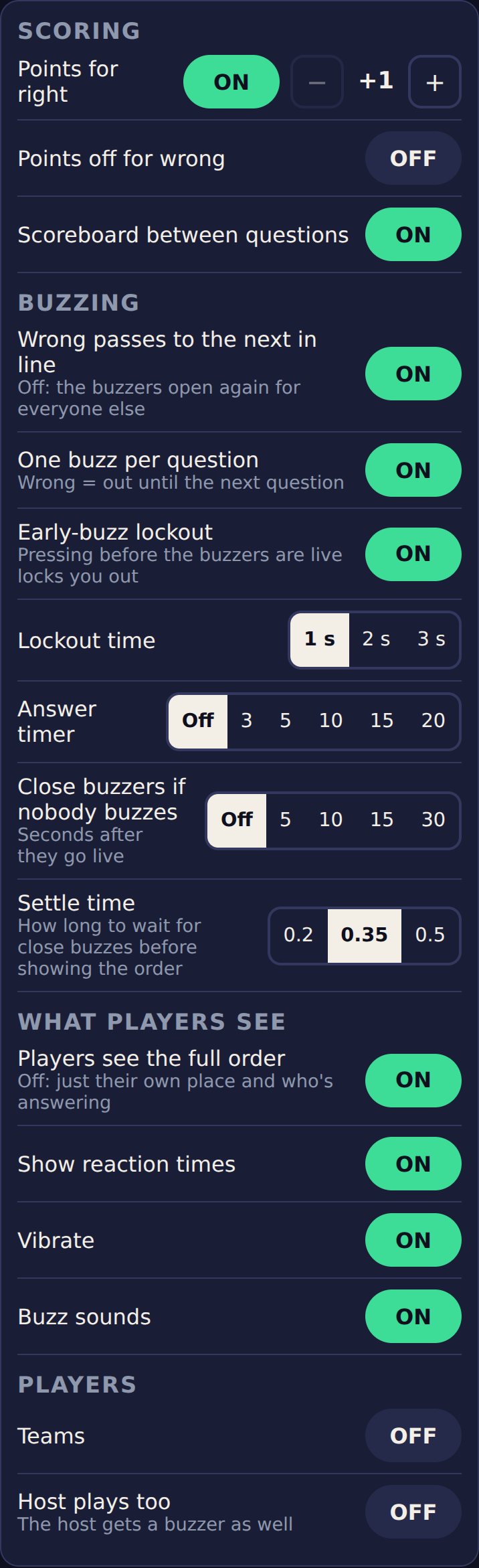
Every feature can be switched on or off. The host changes them in the lobby or between questions (not while the buzzers are open).
| Setting | Default and what it does |
|---|---|
| Points for right | On, +1 (1 to 10 points). |
| Points off for wrong | Off. When on: 1 to 10 points off for a wrong answer. Scores can go below zero. |
| Scoreboard between questions | On. Off: players only see who got it. |
| Wrong passes to the next in line | On. Off: after a wrong answer the buzzers open again for everyone else. |
| One buzz per question | On: a wrong answer puts you out until the next question. Off: you can buzz again when the buzzers re-open. |
| Early-buzz lockout | On, 1 second (1, 2 or 3). Pressing before the buzzers are live locks you out for that long. |
| Answer timer | Off, or 3 / 5 / 10 / 15 / 20 seconds. When it runs out the answer counts as wrong. |
| Close buzzers if nobody buzzes | Off, or 5 / 10 / 15 / 30 seconds after they go live. |
| Settle time | 0.35 s (0.2 or 0.5): how long to wait for close buzzes before showing the order. |
| Players see the full order | On. Off: players only see their own place and who's answering. |
| Show reaction times | On: times like 0.42 s and +0.12 s behind first. |
| Vibrate | On: phones buzz in the hand. |
| Buzz sounds | On: your sound plays when you buzz; the TV (and the host, if not playing) plays the first one in. |
| Teams | Off. On: 2, 3 or 4 teams (see Teams). |
| Host plays too | Off. On: the host gets a buzzer as well (fine for casual games - the host knows the answers!). |
Teams
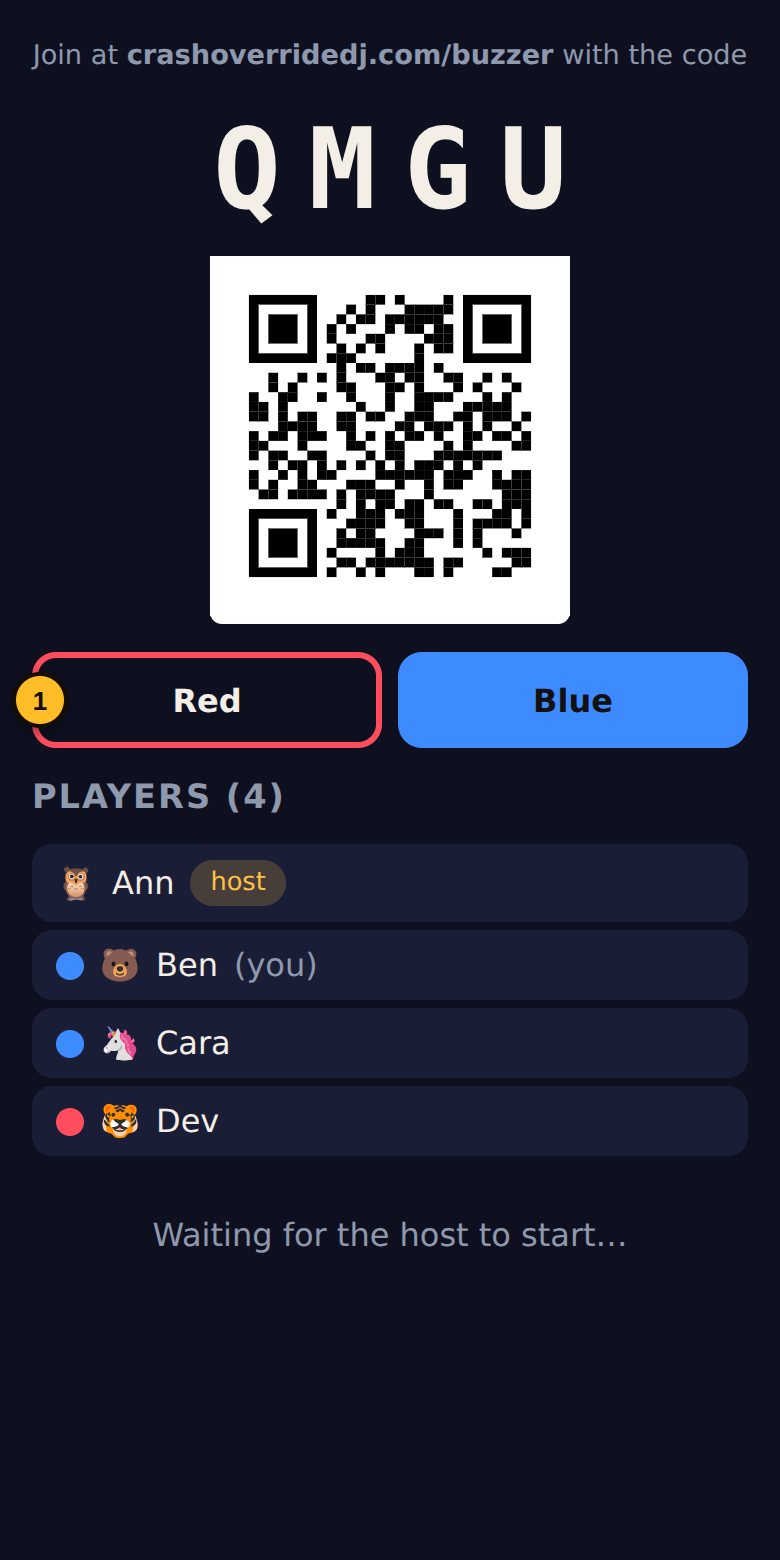
With Teams on, each player taps a team colour (1) - Red, Blue, Green or Yellow. New players are put in the smallest team. The host can move someone by tapping the colour dot next to their name.
Points still go to the player who answered, and the team scores are the totals. With "One buzz per question" on, a wrong answer puts the whole team out until the next question.
The TV board

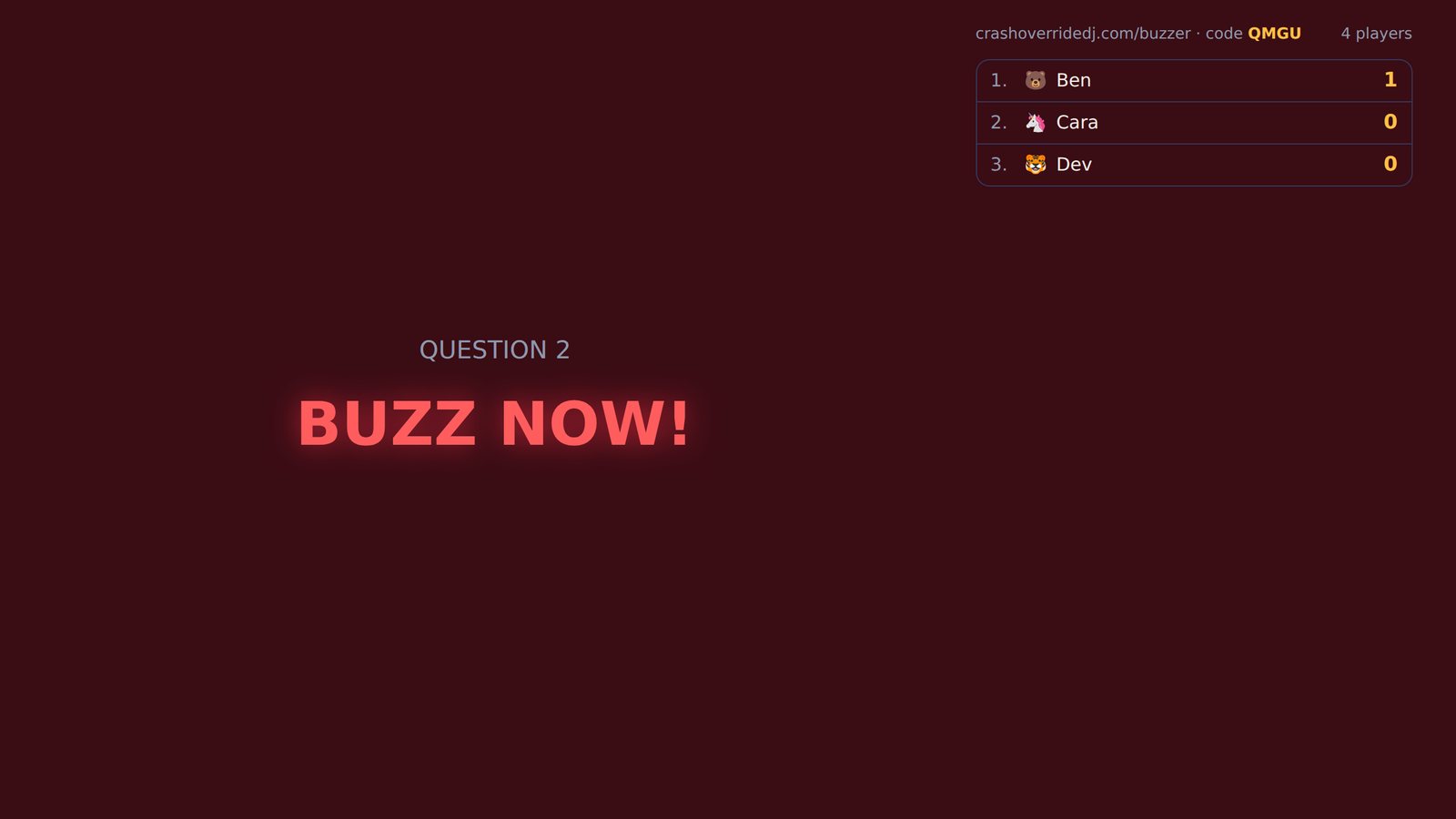
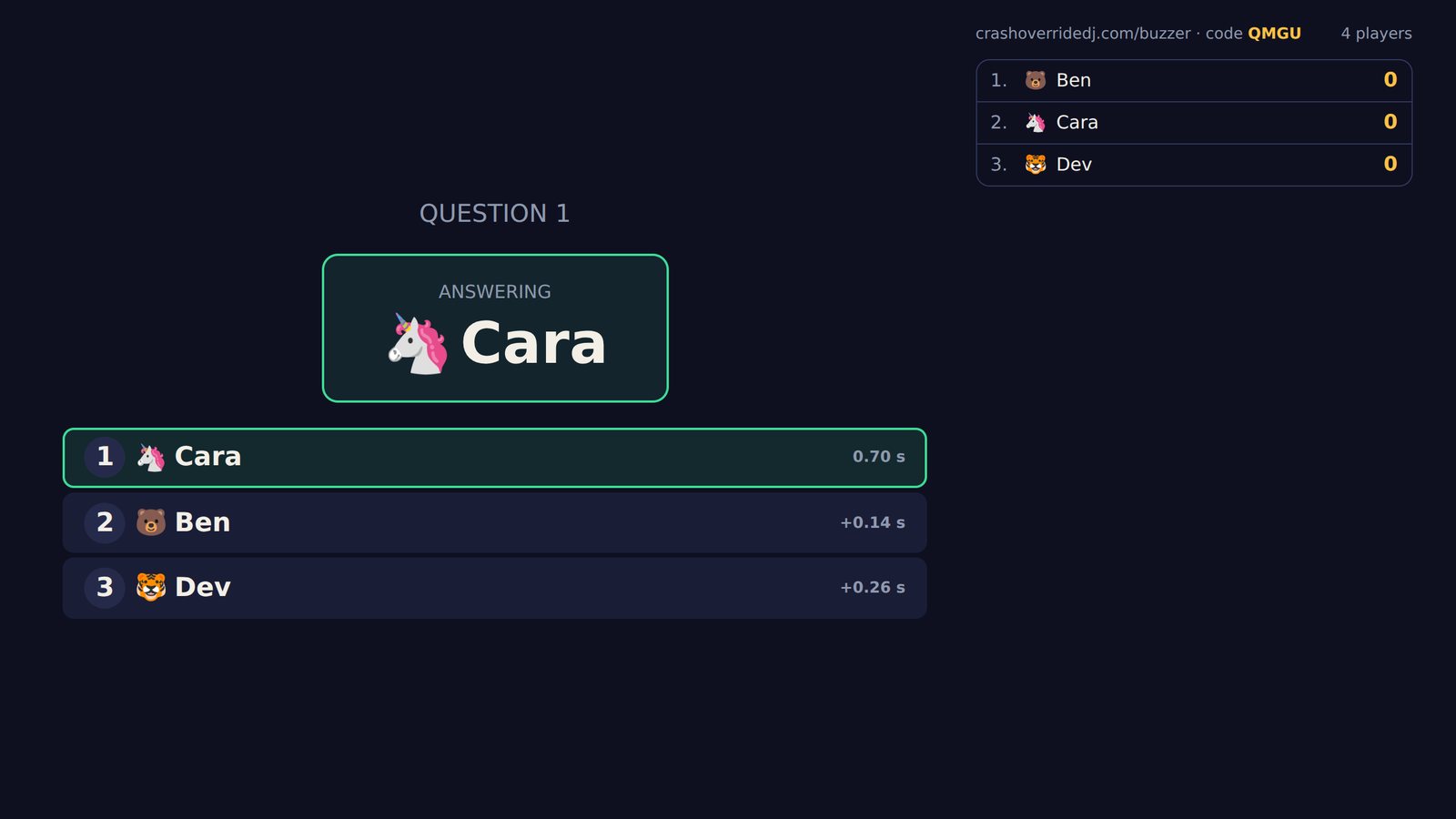
Open crashoverridedj.com/buzzer/tv on a TV, laptop or tablet and type the room code (or use the TV address shown in the host's lobby). It shows the QR code for joining, BUZZ NOW, the order with reaction times, who's answering with the answer countdown, and the scores. It has no buzzer and never needs touching.
Browsers only play sound after a tap: tap Tap for sound once on the TV to hear the buzz sounds.
End of the game
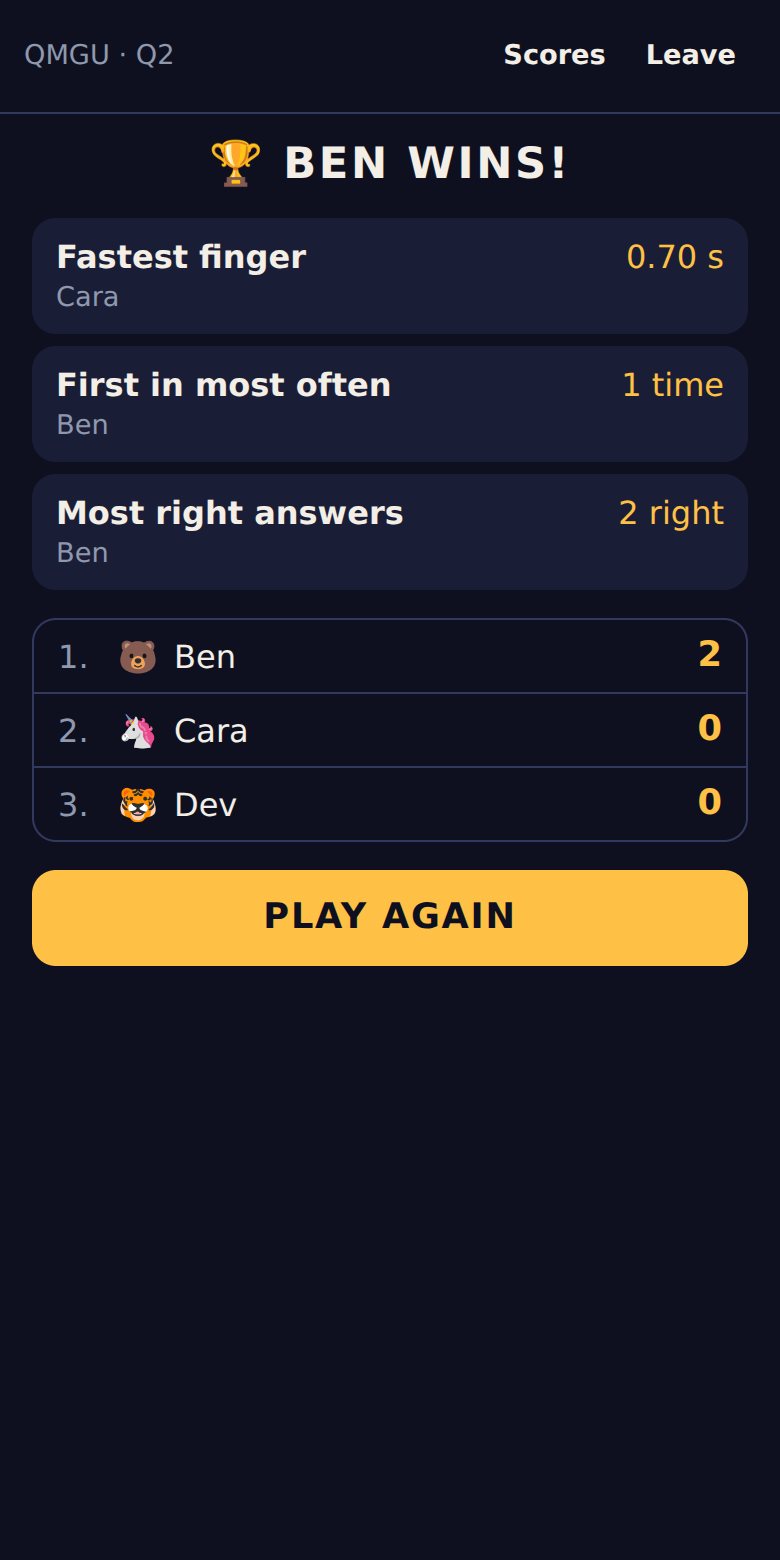
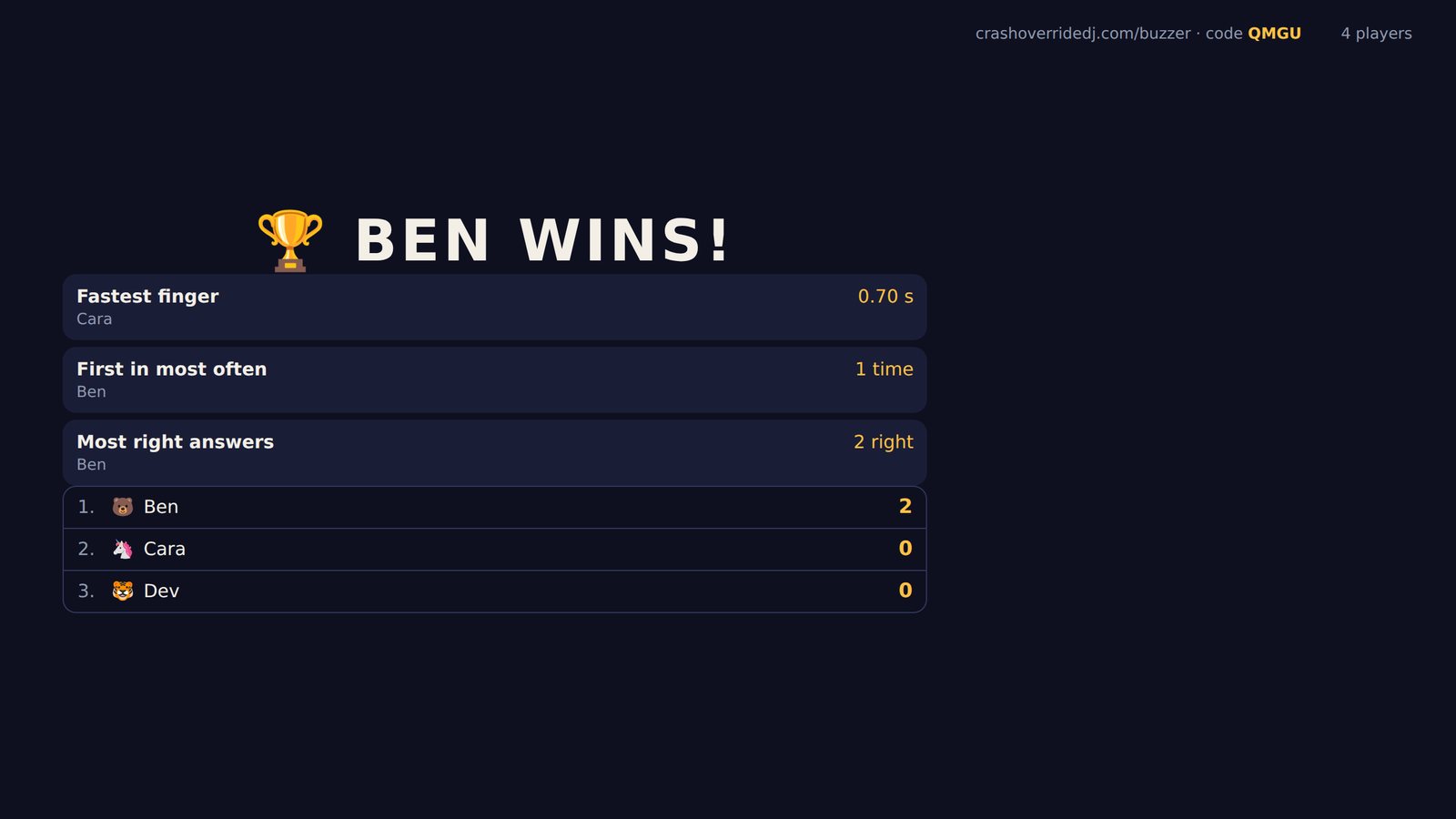
The host taps END (top bar). Everyone sees the winner (or winning team), the final scores and the awards:
- Fastest finger - the quickest single buzz.
- Quickest on average - over at least 3 buzzes.
- First in most often
- Most right answers
PLAY AGAIN (host) keeps everyone in the room with scores back to zero.
Troubleshooting
| "Reconnecting..." | the phone lost its connection. It carries on by itself when the connection is back. |
| A phone closed the page | open crashoverridedj.com/buzzer again on the same phone - same seat, same score. |
| The host left | the next player becomes the host automatically. |
| "No game with that code" | check the 4 letters. Games are removed 6 hours after the last activity. |
| No sound on the TV | tap "Tap for sound" once. Check the TV/laptop volume. |
| No vibration | iPhones don't let web pages vibrate; Android phones do. |
Buzzer keeps only the name, picture and sound you picked for the game, and deletes the game after 6 hours. See the privacy page.
Pictures show an example game with invented names.